Initializing a Project
In order to Initialize a Project, you can use the Tonto Commands section. In this section, the Extension will prompt
basic information about your project, ask where do you wanna create your project, and if you want to open it.
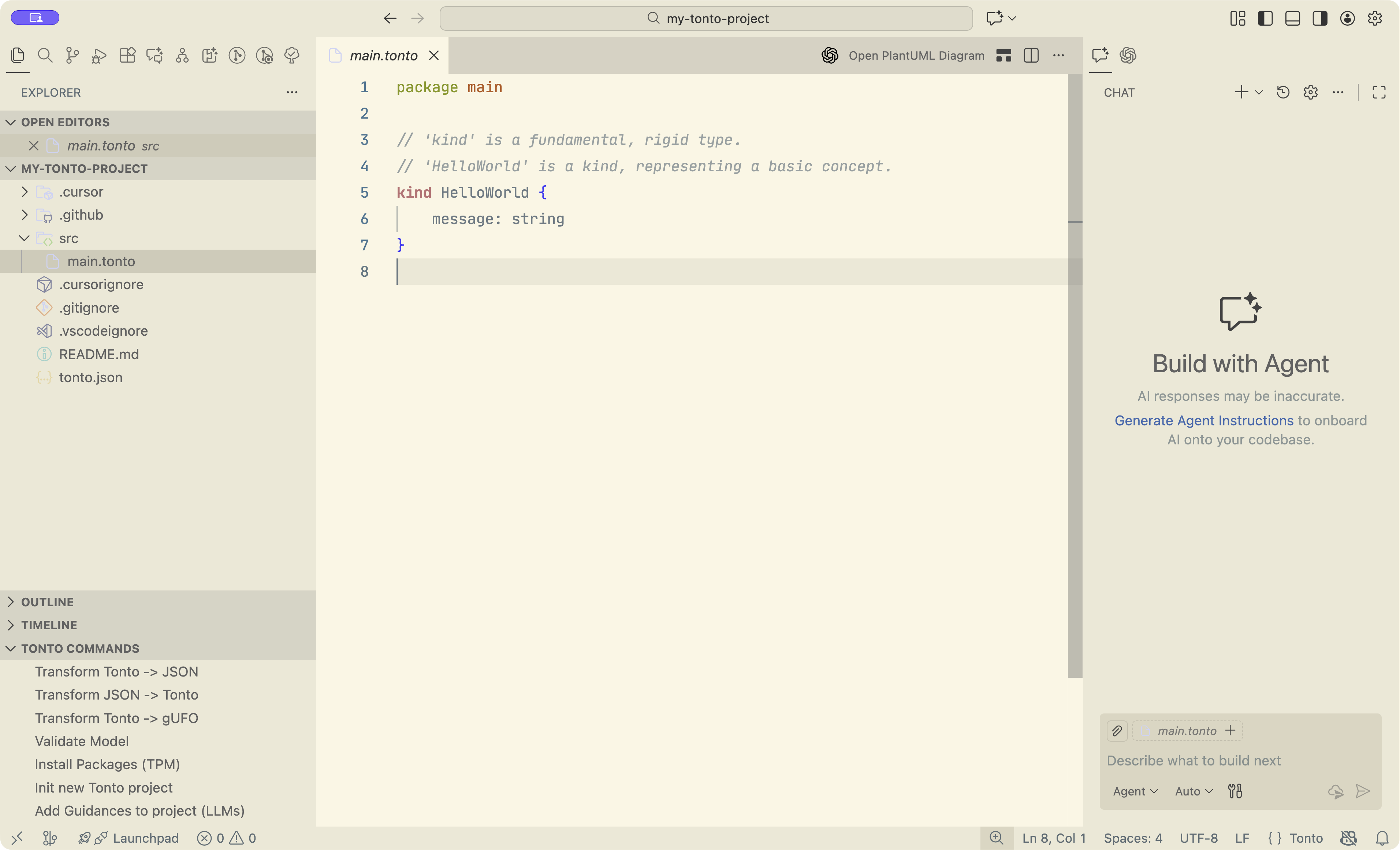
Adding guidances to existing project
There is another command named `Add Guidances to Project (LLMs) where the extension will add the necessary guidances for agents to work properly with Tonto. You just need to select it and follow the instructions
Color Theme and Semantic highlighting
Tonto provides two themes: Tonto light and Tonto dark. These themes contain the semantic tokens for the color
highlights. However, you can add those tokens on any theme. In your IDE, open the User settings (JSON) by pressing
Ctrl + Shift + P (or Command + Shift + P) and searching for that option.
Then, add the following to your JSON:
  "editor.semanticTokenColorCustomizations": {
    "rules": {
        "tontoKind": {
            "foreground": "#CD6872",
            "fontStyle": "bold"
        },
        "tontoQualityKind": {
            "foreground": "#19b0f1",
            "fontStyle": "bold"
        },
        "tontoQuantityKind": {
            "foreground": "#CD6872",
            "fontStyle": "bold"
        },
        "tontoCollectiveKind": {
            "foreground": "#CD6872",
            "fontStyle": "bold"
        },
        "tontoRelatorKind": {
            "foreground": "#45e72b",
            "fontStyle": "bold"
        },
        "tontoEvent": {
            "foreground": "#d1ca3c",
            "fontStyle": "bold"
        },
        "tontoModeKind": {
            "foreground": "#19b0f1",
            "fontStyle": "bold"
        },
        "tontoMode": {
            "foreground": "#19b0f1",
        },
        "tontoSituation": {
            "foreground": "#fca90d",
            "fontStyle": "bold"
        },
        "tontoType": {
            "foreground": "#9b69b1",
            "fontStyle": "bold"
        },
        "tontoObjects": {
            "foreground": "#f51212",
            "fontStyle": "bold"
        },
        "tontoFunctionalComplex": {
            "foreground": "#CD6872",
        },
        "tontoQuality": {
            "foreground": "#19b0f1",
        },
        "tontoQuantity": {
            "foreground": "#CD6872",
        },
        "tontoCollective": {
            "foreground": "#CD6872",
        },
        "tontoRelator": {
            "foreground": "#45e72b",
        },
        "tontoNone": {
            "foreground": "#7f7d7d",
        },
        "tontoNonSortal": {
            "fontStyle": "italic"
        }
    }
  }